
A Practical Guide to Customer Support for Ecommerce Stores
A missed WhatsApp message at 9pm is a lost sale by morning. Buyers message your store on Instagram, Messenger and WhatsApp expecting an answer in minutes, and slow replies push them straight to a competitor. For the longer version of this comparison, see Whatsapp Business API.
This guide shows you which channels deserve your attention, how to set response times and templates, and how to handle tracking, returns, payments, product questions and complaints. You will also learn how automation and a unified inbox let you scale support without adding headcount, and how to turn conversations into revenue.
Why Ecommerce Customer Support Makes or Breaks Revenue
In the competitive world of online retail, customer support is not a cost center but a revenue driver. Every interaction shapes whether a shopper returns, refers friends, or quietly disappears. Treat support as a growth engine rather than a complaint desk, and the numbers tend to follow.
Customer lifetime value sits at the heart of this. A shopper who gets a fast, helpful answer to a pre-sale question is far more likely to buy again. Repeat purchase rates climb when buyers feel confident that problems will be handled without friction.
Research suggests a large share of consumers will pay more for products from a company with good customer service. That premium matters in a market where price comparison takes seconds. Support quality becomes a differentiator that competitors cannot easily copy.
Brand reputation works the same way. Positive post-purchase support turns routine buyers into advocates who post reviews and recommend stores to friends. Poor support does the reverse, and negative word-of-mouth travels faster than any ad campaign.
Consider how retention improves when stores invest in support. A store that resolves exchange requests quickly and keeps customers informed about order tracking often sees those buyers return for a second and third purchase. The pattern is consistent: support quality and retention move together.
Support also protects the revenue already earned. Refund processing, warranty claims, and shipping updates are moments when trust is either confirmed or broken. Handling them well keeps the customer; handling them poorly invites a chargeback or a public complaint.
None of this requires exotic tactics. It requires treating first response time, resolution time, and customer satisfaction as business metrics, not just service metrics. Stores that do this consistently find that support pays for itself through loyalty.
The Real Cost of Slow Replies and Missed Messages
Every minute a customer waits for a reply, your revenue bleeds. Research suggests that even a one-minute delay in response time can measurably reduce conversion rates. On a busy day, those minutes compound into real money left on the table.
Missed messages are worse. An unanswered Instagram DM, Facebook Messenger note, or emailed product inquiry often becomes a lost sale and a negative review. The shopper rarely complains; they simply buy elsewhere and tell others why.
You can estimate the damage with a simple formula. Multiply your average order value by the number of missed inquiries per day, then multiply by the conversion rate you would expect if those inquiries were answered quickly. The result is a rough daily revenue leak that most stores never track.
For example, a store with a modest average order value and a handful of missed messages each day can lose meaningful revenue every month. Add the cost of acquiring a replacement customer, and the true figure grows larger still.
Response speed also shapes customer satisfaction and NPS. Buyers who wait hours for a first reply rate their experience lower, even when the eventual answer is correct. Speed signals respect, and customers remember how the wait felt.
The lesson is straightforward. Slow replies hurt CSAT scores, drag down NPS, and quietly erode repeat business. Tracking first response time and missed inquiries as revenue metrics, not just service metrics, helps stores see the leak before it becomes a habit.
Choosing the Right Support Channels for Your Store
Your customers are everywhere, but are you meeting them on the right channels? The answer depends on who buys from you and what you sell. A store selling handmade jewelry to a younger audience faces different expectations than one shipping industrial parts to procurement teams.
Start by mapping your buyer demographics against where they already spend time. Product type matters too. High-consideration items often generate detailed pre-sale questions, while low-cost repeat purchases lean toward quick order tracking and shipping updates.
Channel expectations vary widely. Research suggests most consumers expect a social media response within an hour, while email tolerates a longer turnaround. Meeting those unspoken expectations shapes customer satisfaction more than any single policy you publish.
Here is a practical comparison of the core channels:
| Channel | Best For | Trade-off |
|---|---|---|
| Email support | Detailed queries, warranty claims, refund processing | Slower first response time |
| Live chat | Pre-sale questions, cart recovery, high conversion moments | Requires staffing coverage |
| Order updates, post-purchase support, high open rates | Needs a business account setup | |
| Social DMs | Product inquiries, brand engagement | Easily fragmented without a shared inbox |
Resist the urge to launch everywhere at once. Most stores do best starting with two or three channels, mastering them, then expanding as volume grows. A help desk with a unified inbox keeps every conversation in one place, so nothing slips when you add the next channel.
WhatsApp, Instagram DM, and Messenger: Where Your Buyers Actually Are
With over 2 billion users on WhatsApp and 1.3 billion on Instagram, your buyers are already messaging. Are you answering? Research suggests a majority of consumers have used a company's social media for support, which makes these channels hard to ignore.
Each platform has distinct strengths. WhatsApp drives high engagement and handles rich media well, making it ideal for order updates, shipping updates, and payment collection. Instagram DM suits visual product inquiries, where shoppers screenshot a product and ask about sizing or availability. Facebook Messenger works well for quick pre-sale questions before a purchase decision.
Setting up each channel for business takes a few deliberate steps:
- Register a WhatsApp Business profile and connect the WhatsApp Business API for automation and scale
- Enable messaging access on your Instagram business account and link it to your Facebook page
- Configure greeting messages and away replies so no inquiry goes silent
- Route every channel into one shared workspace for your team
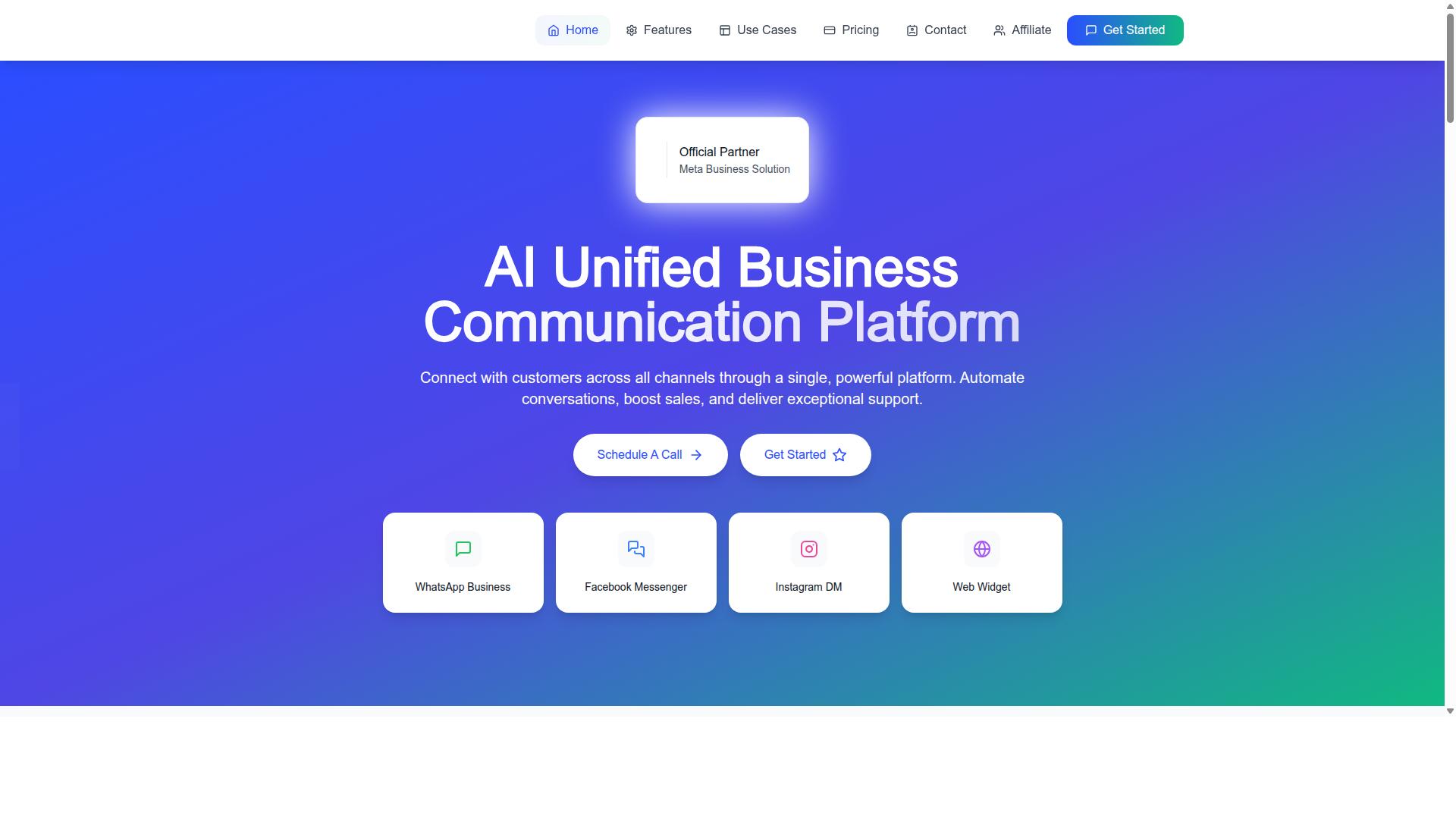
Com.bot supports this through Multi-Channel Support for WhatsApp, Facebook and Instagram, paired with a Unified Team Inbox so agents handle every conversation from one screen. Its Visual Bot Builder lets teams design automated flows without code, and the Automation Builder connects to 1000+ integrations for order updates, notifications, and payment collection. Smart Chatbots can field routine product inquiries while your team focuses on complex cases.
Fragmentation is the biggest risk. When WhatsApp lives on one agent's phone and Instagram DMs sit in another tab, first response time suffers and conversations get duplicated. A shared inbox solves this by giving every agent visibility into the full history.
Keep your brand voice consistent across channels. A playful tone on Instagram can carry into Messenger, but WhatsApp conversations often feel more personal and direct. Train agents on these nuances, and use saved replies for common questions about return policy, exchange requests, and order tracking. Consistency builds trust, and trust keeps buyers coming back to your ecommerce store.
Building Your Support Playbook: Response Times, Tone, and Templates
A support playbook is your team's roadmap to consistent, efficient, and empathetic customer interactions. Without one, every agent improvises, and customers feel the difference in tone, speed, and accuracy. A written playbook turns scattered habits into a repeatable system that scales as order volume grows.
For an ecommerce store, the playbook covers the full journey: pre-sale questions, order tracking, shipping updates, return policy clarifications, refund processing, exchange requests, warranty claims, and post-purchase follow-ups. Each of these touchpoints needs a defined owner, a target response window, and approved language. The goal is not to script every word but to remove guesswork so agents can focus on solving the actual problem.
Build the document in layers. Start with service level agreements, then tone, then templates, then escalation. Review it monthly against real tickets.
Step 1: Define your SLAs. Set clear targets for first response time and resolution time across each channel. A common benchmark for live chat is a first reply within minutes during business hours, while email support might target a first response within one business day. Resolution targets depend on complexity: a tracking question should close fast, while a warranty claim may take several days. Publish these targets internally so agents know what "on time" means, and track them alongside your customer satisfaction score and customer effort score.
Step 2: Establish tone guidelines. Write down how your brand sounds in writing. Most ecommerce teams land on friendly, professional, and empathetic, but vague adjectives are not enough. Give agents concrete rules: use the customer's name, acknowledge the problem before explaining policy, avoid blame, and never argue about a return. Include a short list of banned phrases, such as "as per our policy" or "that's not possible," and offer replacements that move the conversation forward.
Step 3: Create templates for common scenarios. Templates save time and keep quality steady, but they must leave room for personalization. Build a library covering order tracking, delayed shipments, return and exchange requests, refund confirmations, damaged items, and product inquiries. Each template should include a subject line, an opening that references the customer's specific order, the answer or next step, and a closing that invites a reply.
Compare the difference in practice:
- Weak response: "Your package is delayed. Check the tracking link." This feels dismissive and gives no timeline or apology.
- Strong response: "Hi Maya, thanks for reaching out about order #4821. I checked with the carrier, and your parcel is now expected Thursday. I'll keep an eye on it and update you if anything changes."
The strong version names the customer, references the order, explains the situation, and commits to a follow-up.
Step 4: Include escalation paths. Define who handles what when a front-line agent cannot resolve an issue. Map out triggers for escalation, such as refunds above a set amount, legal threats, repeated complaints, or social media support threads that turn public. Name the roles responsible, whether that is a team lead, a billing specialist, or a manager, and set a target handoff time so tickets do not stall.
A playbook is a living document. Update it based on customer feedback, recurring ticket themes, and your metrics. If first response time slips or CSAT drops on a specific issue, revise the template or the SLA behind it. Assign one person to own revisions and schedule a monthly review so the guide reflects how your store actually operates today, not how it operated a year ago.
Handling the Big Five Ecommerce Support Requests
Most support tickets fall into five categories. Master these, and you'll resolve 80% of inquiries with ease.
Across online retail, the same questions surface again and again: where is my order, how do I send this back, why did my payment fail, does this product fit my needs, and why did something go wrong. Each one carries emotional weight for the buyer. A delayed package or a declined card can turn a happy shopper into a frustrated one within hours.
These five categories matter because they directly shape customer satisfaction and repeat purchase behavior. A fast, clear answer builds trust. A slow or confusing one pushes buyers toward competitors. They also drive the metrics that support leaders watch most: CSAT score, NPS, first response time, and resolution time.
Handling them well requires more than goodwill. It takes the right mix of a help desk, live chat, a ticketing system, a chatbot, and a self-service portal working together. The goal is to route routine questions to automation while freeing skilled agents for the complex, high-stakes conversations.
The strategies below break down each category and show how to build a repeatable process around it.
Order Tracking, Returns, Payments, Product Questions, and Complaints
From "Where is my order?" to "I need a refund," each request type demands a tailored approach. Treating them all the same slows your team and frustrates buyers. Below is how to handle each one with the right tools and tone.
Order Tracking. The most common ticket in ecommerce is a shipping question. Proactive shipping updates via email, SMS, or WhatsApp reduce inbound volume before it starts. Integrate tracking links directly into order confirmations and dispatch notices so customers can check status without contacting support. When a package stalls, send an alert rather than waiting for the customer to ask.
A simple template: "Hi [Name], your order #[Number] is on its way. Track it here: [link]. Expected delivery: [date]. If it hasn't arrived by then, reply to this message and we'll sort it out."
Returns and Exchanges. A clear return policy and a self-service portal cut friction dramatically. Let customers initiate a return or exchange request without emailing an agent. Offer prepaid return labels to remove the biggest obstacle: cost and hassle. For exchange requests, show available alternatives at the point of return so buyers can swap rather than refund.
Template: "We're sorry it didn't work out. Start your return here: [portal link]. Print the prepaid label, drop it off, and your refund will process within [timeframe] of arrival."
Payments. Failed payments and refund processing questions create anxiety. Address them fast, and offer multiple payment options at checkout to reduce failures in the first place. When a payment fails, tell the customer exactly why if you can, and give a clear next step.
Template: "Your payment didn't go through. This is often a bank security check. Try another card or contact your bank. Your order is held for [timeframe] so you don't lose your items."
Product Questions. Pre-sale questions and product inquiries are conversion opportunities. Use a chatbot for common FAQ page content, and invest in detailed product pages with sizing, materials, and compatibility notes. Every unanswered question is a lost sale.
Template: "Great question. This item [key spec]. For full details, see the product page here: [link]. Want a recommendation? Tell us how you'll use it."
Complaints. Complaints need empathy first, solutions second. Acknowledge the frustration, avoid defensiveness, and offer a concrete fix. Then follow up to confirm resolution. This is where warranty claims and escalated issues land, and where a human agent outperforms automation.
Template: "I'm sorry this happened. That's not the experience we want for you. Here's what I can do: [solution]. I'll check back in [timeframe] to make sure it's resolved."
Across all five, automation handles the routine while agents handle the complex. A chatbot, knowledge base, and self-service portal absorb repetitive inquiries. That frees your team for the conversations that need judgment, empathy, and a human voice, which is exactly where customer satisfaction is won or lost.
Scaling Support Without Scaling Headcount
As your order volume grows, your support team shouldn't have to grow at the same pace. Every new batch of orders brings a predictable wave of tickets: order tracking requests, shipping updates, return policy questions, and exchange requests. Hiring enough agents to answer each one manually is expensive, slow, and difficult to sustain during seasonal spikes.
The better path is to shift repetitive work away from people. Automation, chatbots, and self-service can absorb the high-volume, low-complexity questions that dominate most ecommerce support queues. Your human agents then focus on the conversations that genuinely need judgment, empathy, or a creative resolution.
This approach improves speed as well as cost. When a shopper gets an instant answer about a refund or a delivery date, first response time drops to seconds. Faster answers on simple questions tend to lift your CSAT score and reduce the customer effort score, because buyers no longer wait in a queue for information they could have found themselves.
Platforms built for this kind of work make the transition easier. Com.bot, for example, brings together a Unified Team Inbox, a Visual Bot Builder with a drag-and-drop interface, and an Automation Builder with 1000+ integrations. That combination lets a small team handle a growing ticket load across WhatsApp, Facebook, and Instagram without adding headcount for every new order milestone.
Automation, Chatbots, and Self-Service That Customers Actually Like
Customers don't hate automation. They hate bad automation. The difference usually comes down to whether the system answers the real question quickly and offers a clear route to a person when it can't. Here's how to build that experience step by step.
1. Build a knowledge base first. Before any bot goes live, write clear articles and a solid FAQ page covering your most common topics: order tracking, shipping updates, return policy, refund processing, exchange requests, warranty claims, and pre-sale product inquiries. This content becomes the source your chatbot and self-service portal draw from, so its quality sets the ceiling for everything else.
2. Deploy a chatbot for instant answers. A smart chatbot can handle order status, return policy questions, and basic product inquiries the moment they arrive. Keep the conversation natural, use plain language, and avoid rigid menus that force shoppers through five options before they get help. Always include a human handoff so a frustrated customer can reach an agent without repeating themselves.
3. Offer a self-service portal. Let customers start a return, request an exchange, or check a refund status on their own. Removing that friction cuts ticket volume and gives shoppers control over post-purchase support. Com.bot's Order Updates and Customer Support capabilities support this kind of proactive communication on WhatsApp.
4. Route tickets automatically. Use automation to send each conversation to the right agent based on topic, language, or order value. Tools like Team Collaboration with role-based access keep the right people on the right tickets. Combining self-service with smart routing can help reduce ticket volume.
Finally, treat your knowledge base as a living asset. Review the search queries customers actually type, then update articles and bot flows to match. This continuous loop keeps resolution times low and your CSAT score trending in the right direction as you scale.
Tools That Power Ecommerce Support
The right tools can transform your support from a cost center to a profit center. When systems talk to each other, your team stops copying order numbers between tabs and starts solving real problems faster.
Most ecommerce support stacks fall into four categories. Help desks manage tickets, priorities, and agent workloads. Live chat handles real-time questions before a visitor leaves. Omnichannel inboxes pull every conversation into one screen. Automation platforms handle repetitive work like order tracking and FAQ answers without an agent touching them.
Integration with your store platform matters as much as the tools themselves. A help desk connected to Shopify or WooCommerce can pull order history, shipping updates, and refund status into the ticket view. That means an agent answering a "where is my order" message already sees the tracking details, cutting first response time and resolution time in one move.
A unified inbox delivers the biggest daily payoff. Instead of switching between email, Instagram DM, Facebook Messenger, and WhatsApp business, agents work from a single queue. Nothing gets missed, and social media support stops being a side project someone checks at lunch.
Automation platforms add the second layer. A chatbot can answer product inquiries, share return policy details, or start a refund processing flow, then hand the conversation to a human when it gets complicated. Self-service tools like a knowledge base or FAQ page reduce ticket volume before it starts.
Com.bot is an example of a platform built for this model. It is an official Meta Business Partner that processes 25M+ messages per day, so the infrastructure is proven at scale. With 23,000+ active customers and 100K+ bots created, it is designed for the volume that growing online retail stores generate.
What to Look For in a Unified Inbox and Automation Platform
Not all support platforms are created equal. Here is what to prioritize when choosing one, whether you run a small shop or a high-volume operation.
1. A true unified inbox. Every channel should land in one place: WhatsApp, Instagram, Facebook Messenger, email, and live chat. If agents still need separate apps for social media support, you have not solved the problem.
2. A visual bot builder. No-code automation lets support leads build flows without engineering help. Look for a drag-and-drop interface that handles common tasks like order tracking, shipping updates, and pre-sale questions.
3. Native payments integration. Some platforms let customers complete transactions inside the chat. This shortens the path from product inquiry to purchase, which turns support into a revenue channel rather than overhead.
4. Analytics and reporting. You need visibility into CSAT score, NPS, first response time, resolution time, and average handle time. Without reporting, you cannot tell whether changes are helping.
5. Scalability and security. Your platform should handle spikes without dropped messages and protect customer data. Enterprise security with end-to-end encryption is the baseline, not a bonus.
Here is a quick checklist to run against any candidate:
- All channels in one inbox, including WhatsApp, Instagram, and Messenger
- Visual bot builder with no coding required
- Payments handled inside the conversation
- Reporting on CSAT, NPS, and response times
- Enterprise-grade security and encryption
- Quick setup and integration with your store platform
- Real-time message delivery under load
Com.bot meets these criteria with its unified inbox and visual bot builder, plus quick setup and integration and real-time message delivery. It also charges no markup on WhatsApp conversations, which keeps costs predictable as volume grows. With 500+ global partners and 100+ government bodies relying on it, the track record speaks to both scale and trust.
Run the checklist against two or three platforms, test the bot builder yourself, and check how each one connects to your store. The tool that fits your workflow will show it in the first week.
Measuring What Matters: Support KPIs for Online Stores
You can't improve what you don't measure-these KPIs will tell you if your support is winning or losing. For an ecommerce store, support quality directly shapes repeat purchases, so tracking the right numbers matters more than tracking every number.
Below are the core metrics worth monitoring, how to calculate each one, and how to turn the results into better agent training and fewer bottlenecks.
Customer Satisfaction (CSAT). CSAT measures how happy a customer was with a single interaction. Ask a simple question after each ticket closes, such as "How satisfied were you with this support experience?" on a one to five scale. Calculate it by dividing the number of satisfied responses by total responses, then multiplying by 100. A reasonable target for most stores sits in the high 80s to low 90s, though the right benchmark depends on your category and channel.
Net Promoter Score (NPS). NPS captures longer-term loyalty rather than a single conversation. Ask customers how likely they are to recommend your store on a zero to ten scale. Subtract the percentage of detractors (zero to six) from promoters (nine to ten) to get your score. NPS is most useful when tracked over time and segmented by purchase history.
First Response Time. This is the gap between a customer's first message and your first reply. Calculate the average across all tickets in a given period. Live chat expectations are much tighter than email support, so set separate benchmarks per channel.
Resolution Time. Also called time to resolution, this measures how long it takes to fully close a ticket, not just reply to it. Average the total elapsed time across resolved tickets. Complex cases like warranty claims will naturally run longer than simple order tracking questions.
Average Handle Time (AHT). AHT is the total time an agent spends on a ticket, including talk time, research, and follow-up notes. Divide total handle time by the number of tickets handled. Use AHT to spot training gaps, not to pressure agents into rushing customers.
Customer Effort Score (CES). CES asks how easy it was to get help, often on a scale from "very difficult" to "very easy." A low effort score usually signals a confusing return policy, a buried FAQ page, or a knowledge base that fails to answer common product inquiries.
A simple support dashboard might organize these metrics side by side:
| Metric | What It Tells You | Typical Watch Signal |
|---|---|---|
| CSAT | Per-interaction happiness | Falling scores on one channel |
| NPS | Long-term loyalty | Detractors clustering around refunds |
| First Response Time | Speed of initial reply | Spikes during sales or holidays |
| Resolution Time | End-to-end fix speed | Certain ticket types dragging |
| Average Handle Time | Agent workload and complexity | Outliers needing coaching |
| Customer Effort Score | Friction in the support journey | Low scores tied to self-service gaps |
Read these metrics together rather than in isolation. A fast first response time paired with poor CSAT often means agents are replying quickly but without solving the problem. Slow resolution times on exchange requests might point to a clunky returns process rather than an agent performance issue.
Use the data to find bottlenecks first, then train. If average handle time spikes on shipping updates, build a knowledge base article or chatbot flow that answers tracking questions automatically. If customer effort scores drop on pre-sale questions, revisit your FAQ page and product pages.
Finally, tie every KPI back to a business goal. Retention improves when post-purchase support feels effortless. Revenue grows when pre-sale questions get fast, accurate answers. Pick two or three metrics that map directly to those outcomes, and let the rest inform context rather than drive decisions.
Turning Support Conversations Into Sales
Every support interaction is an opportunity to build loyalty and drive revenue. Most ecommerce stores treat support as a cost center, a queue to be cleared before the next batch of tickets arrives. That mindset leaves money on the table. A customer who reaches out is already engaged, already familiar with your brand, and often already willing to spend more. The question is whether your team is trained to recognize that moment and act on it.
Support-driven selling works because it is contextual. A generic banner ad interrupts a shopper. A helpful answer from a real person arrives exactly when the customer has a question, a concern, or a gap in their order. That timing is why support conversations can lift average order value without feeling pushy, provided the recommendation genuinely fits the problem being solved.
Four tactics tend to produce the strongest results. Each one can be layered onto an existing help desk, live chat, or chatbot setup without a full rebuild.
- Train agents to spot upsell and cross-sell openings. A customer asking about a tent may also need a footprint or a repair kit. A shopper worried about a laptop's battery life may be a strong candidate for an extended warranty. Build short scripts and product pairing guides so agents do not have to improvise.
- Use chatbots to recommend products based on browsing history. A chatbot can surface relevant items while a visitor waits for a human, turning idle time into a soft recommendation. Keep suggestions tied to what the shopper already viewed rather than pushing unrelated bestsellers.
- Follow up after purchase. A short message checking on satisfaction does two things: it catches problems before they become refunds, and it opens the door to a review request while the experience is still fresh.
- Offer exclusive discounts to repeat customers. A loyalty perk delivered through a support conversation feels personal rather than promotional, and it gives returning buyers a reason to complete a larger order.
Companies that connect support and sales often report meaningful gains in average order value after embedding recommendations into service workflows. The exact figure varies by category, catalog size, and how well agents are coached, but the direction is consistent: contextual suggestions outperform blanket promotions.
What makes these tactics work is not the tool alone. It is the decision to treat support data as sales intelligence. Ticket topics reveal what customers wish they had bought. Chat transcripts show which questions stall a purchase. Review requests surface language you can reuse in product pages. An ecommerce store that routes this information back into merchandising and marketing gets compounding returns from the same conversations.
Start small. Pick one tactic, measure the effect on average order value and customer satisfaction, then expand. A support team that sells well is still a support team first. The moment recommendations feel forced, trust drops and the revenue gain disappears.
Integrating support and sales is ultimately an operational choice, not a technology one. It means shared goals between service and revenue teams, coaching that treats product knowledge as a core skill, and reporting that tracks both resolution time and order value in the same dashboard. Stores that make this shift stop seeing support as overhead and start seeing it as one of the most honest sources of customer insight they have.
For teams exploring tools to connect these workflows, Com.bot can be reached at [email protected] or by phone and WhatsApp at +91 080 6987 1810. The head office is at 501, Trinity Orion, Vesu Main Road, Surat - 395010, IN, with business hours Monday through Friday, 9:00 AM to 6:00 PM IST, and WhatsApp support available.
Recommended Resources: